


Web & Platforms
Replit Alternatives
Four reasons people leave Replit and the kind of alternative each one points to, with Replit, Lovable and Base44 side by side in their own words.
Another Monday moves Squarespace sites onto a custom-coded website, one address at a time, so the pages Google already ranks keep their place. I'm Willis, and I do the work myself.
My three moves off Squarespace went live in 3, 25 and 50 days. The order I work in and the list I run before the domain changes are both below.

It's an inventory job before it's a design job. A Squarespace site that ranks is a list of addresses Google has learned over years, and the site migration process is mostly about making sure every one of them still answers after the move.
I'm Willis Aybar, and Another Monday is my agency in Baltimore. I built 25+ websites before I started coding them by hand, 20+ of them on Squarespace. Now I build custom, on Astro and Netlify, and I move Squarespace sites onto that. The same SEO limits I wrote up for Squarespace are the usual reason an owner asks.
A custom site loads fast, and I check that. As of September 2026 our custom sites tested in the 90s on Google's PageSpeed tool on desktop, 8 of the 9 we run. Speed is a ranking factor, and the other reason to move is control: the titles, the schema and the redirects become yours to change.
Keep in mind that the export button only saves a file, and the Squarespace export file is partial. By Squarespace's own help page, layout pages, one blog and its posts, and text and image blocks come out. Store, portfolio and index pages, audio, video and product blocks, style settings and custom CSS don't, so a lot of what you built with drag and drop may not transfer. The built in tools, built in design and built in ecommerce are why the site was easy to start, and they're the parts that don't leave with you. So the old Squarespace website still has to be rebuilt by a person, and one of the biggest traps is treating the export as the finished job. Why owners leave in the first place is in the alternatives guide, and I won't repeat it here.
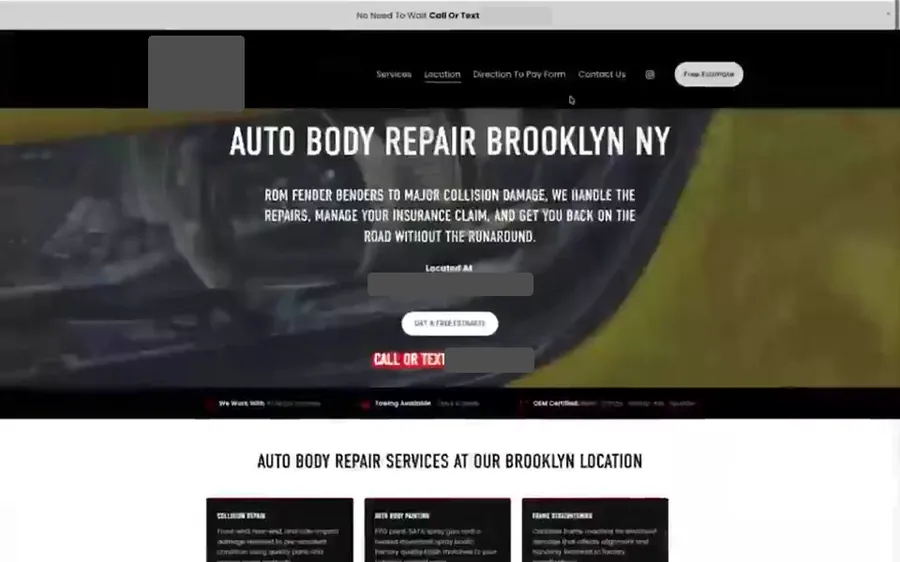
Four finished moves, no client names. I counted from the first date my own tooling recorded to the day the domain answered on the new site. Three came off Squarespace and one off Wix, and the Wix one is here with its platform stated because it was counted the same way. The 50 days was mostly a hold, timed around a launch the practice was already running, not time spent building. The auto body shop and the nail salon both have before and after videos with the rest of my Baltimore web design work.

| Business | Moved from | First recorded | Live on the domain | Days |
|---|---|---|---|---|
| Auto body shopLaunched on 8 indexable pages | Squarespace | June 15, 2026 | June 18, 2026 | 3 days |
| Nail salon and spaBooking system kept | Squarespace | July 14, 2026 | August 8, 2026 | 25 days |
| Therapy practiceTimed around a launch the practice was already running | Squarespace | July 13, 2026 | September 1, 2026 | 50 days |
| Tutoring serviceMoved off Wix, not Squarespace | Wix | July 1, 2026 | August 2, 2026 | 32 days |
That's the website going live, and it isn't a ranking. The 3 days was a small site that launched on 8 pages, and a forty page site would not be 3 days. How long Google takes to move a position is a separate clock, set by your industry and market, which is why my local SEO plans ask for at least 3 months. A typical site of mine is live well inside the first 90 days of a plan, and I keep those two numbers apart on purpose. If you want the wider picture of how long a build runs, it's in the project ledger I publish.

Eight steps, in this order, and the order is the point. The first three happen before I write a line of the new site, and they're the ones a rushed job skips.
The sitemap, Search Console, and the pages Google still holds on the old domain that nobody remembers. I pull clicks, impressions and position for each one, because that decides which pages are worth protecting.
Full-page screenshots on a desktop and a phone, a scroll-through video of the homepage and the money pages, and a baseline from Search Console, Analytics and the Google Business Profile. Without a before, you can't tell later whether the move helped or hurt.
One row per old address, with the new route beside it. A page that ranks keeps its exact address. A page that moves gets a 301. A page that's thin and has nothing to protect gets a decision, not a silent delete.
Every page that ranks is rebuilt at the same address, with the title, the main heading and the copy carried across. The site is custom-coded, Astro on Netlify, and I write the pages myself.
Anything that changed address gets a 301 to its successor. Two get forgotten on nearly every Squarespace site, the old homepage slug and the /cart page left behind by a store.
Every form, phone tap and booking click that counted as a lead on the old site has to fire on the new one, with the same names. This is where leads quietly stop arriving, so I test each one by hand.
I change the one record that points the domain at the new site and leave the rest of the settings alone, so the email on that domain keeps working. Then I confirm the redirects answer live and resubmit the sitemap in Search Console.
Coverage and positions in Search Console, calls and form fills against the baseline. A missed redirect shows up there before anyone notices it on the site.

Ten checks, taken from the migration runbook I follow. You can run most of them on your own Squarespace site today, before you hire anyone, and make sure nothing on your side is missing.
| Check | What I look at | What goes wrong if it's missed |
|---|---|---|
| The old URL list | Every address from the sitemap, Search Console and the old domain. | Each one has a successor, or is dropped on purpose. |
| URL Mappings panel | Squarespace keeps custom redirects inside the account. I copy them out before anything else. | Cancel the site first and the redirect list goes with it. |
| Old homepage slug | Squarespace usually serves the homepage at a slug as well as at the root. | It often has the most links from other sites, and it 404s. |
| Folder URLs | A folder address on Squarespace can send visitors to the first page inside it. | A link someone saved two years ago lands nowhere. |
| Store leftovers | If you ever sold anything, the /cart and product addresses are indexed too. | Redirect them to a page that still exists. |
| Titles and main headings | Compared page against page, old against new. | A changed title on a ranking page is a change I made on purpose, not by accident. |
| Sitemap and canonicals | /sitemap.xml has to serve real XML, and each canonical matches the address served. | The file Google reads for years starts returning a 404. |
| Forms, calls and bookings | Each one submitted by hand, then confirmed in Analytics under its old name. | Leads stop arriving and nobody finds out for a week. |
| Name, address and phone | Footer, schema and the Google Business Profile say the same thing, character for character. | Google sees two slightly different businesses. |
| Email on the domain | Only the record that points at the website changes. | Mail breaks, silently, for whoever is waiting on a reply. |
Broken links are the ones you'll feel. The new site can look perfect and still lose a page that had ten other sites pointing at it. Get the first row right and the rest is cleanup.
Done carefully, a move is meant to hold what the old site earned, and what you build afterward is where it grows. I can't promise a position on a date, and neither can anyone else, because Google decides.
Here's the one shop I can show. For 6 months, from Sep 2025 to Feb 2026, its organic clicks in Search Console ran 14 to 20 a month. It moved off Squarespace in June 2026. June came in at 45 clicks and July at 49.
That isn't the move alone. The shop wasn't standing still in those months, so I won't hand the new site the credit. What it does show is that the clicks didn't fall off a cliff when the address list changed hands, which is the thing an owner is afraid of.

Most of what ranks for this search is a Squarespace to WordPress migration how-to, or one for WordPress to Squarespace the other way around, so here's the short version of the first, checked against Squarespace's and WordPress.com's own help pages.
A Squarespace and WordPress move is doable for a small site. WordPress offers more room than Squarespace does, and it brings more upkeep with it.
Users who prefer to do it themselves start in the Squarespace account. Open the Import & Export panel, choose Export, pick WordPress and save the Squarespace XML file to your computer. That's the only format Squarespace exports.
Then, in the WordPress admin dashboard on the new site, go to Tools, then Import, and run the WordPress importer tool on that file. Pages and posts arrive, along with the text and image blocks.
Now that your WordPress site is holding the text, the images are the part to watch. Squarespace's help page says the self-hosted WordPress Importer may only store links back to the images on Squarespace, and those links stop working once the Squarespace site is canceled. WordPress.com copies them to its own servers, and its guide still warns that the image import process may not bring every one. So keep the old site public until they're across, check the WordPress media library page by page, and upload images manually where they're missing. Some guides tell you to use the Auto Upload Images plugin for this. I haven't tested it, so check every page either way, because you'll need to manually recreate whatever gets missed, and you'll need to upload the logo yourself.
Then comes the design and layout. The Squarespace template doesn't come with you, so a new WordPress site needs a WordPress theme, and on a self hosted WordPress install you'll use custom CSS to rebuild what the old custom CSS did. You'll need to adjust the menus too. Plugin content like forms and galleries is another rebuild.
Save your changes, then walk the pages, posts and menus one at a time, and you may need Search Console or a few free SEO tools to find broken links. Understanding these limitations before you start is the difference between a weekend and a month.
Last come the redirects. Neither help page covers redirecting the old Squarespace addresses, and a new WordPress website without them behaves like a new domain. That gap is the reason I wrote this page. Ensure everything on your old address list has a destination before the domain moves, as part of your new website's launch.
If you're still deciding between the platforms, the head-to-head on the two goes through them, and how the two builders compare covers the other pairing.

Moving an existing site onto one I build is a one-time fee of up to $500, separate from the monthly plan. I quote it once I've seen the site, since a small site and a large one aren't the same job. Plans start at $800 a month with the website built inside the plan, and what a redesign costs is laid out on its own page.
It suits an owner whose Squarespace site already earns some searches and who wants more control over it without starting from zero. It doesn't suit a site you're happy editing yourself every week, because a custom site is edited by me. If that's you, staying put is a fine answer, and the small business website design page shows what I build instead.
Let's have a conversation about your site. Send me the address and I'll tell you what I'd inventory first and whether a move makes sense.
Give me your website address and your business name, and I'll tell you what I'd list first before anything moves. I can reply within a few hours.
Last 90 days, across the sites and Search Console/GA4 accounts Another Monday manages. Figures as of November 2026.
Another Monday can, and I do the work myself. I'm Willis Aybar, a Baltimore marketing and web design agency owner who built 25+ sites, 20+ of them on Squarespace, and now code custom websites on Astro and Netlify. I rebuild each page at its existing address and redirect anything that moves, so the rankings the old site earned stay attached to the new one.
A Squarespace migration can keep your rankings when every page that ranks stays at its exact address and everything that moves is redirected with a 301. Nobody can promise a position, because Google decides that, and a move that skips the redirect map is where rankings get lost. I treat the address list as the whole job.
A Squarespace migration to a custom site took me 3 days on an auto body shop, 25 days on a nail salon and spa, and 50 days on a therapy practice whose launch was timed around one it was already running. Each is measured from the first date I recorded to the day the domain answered on the new site, and the 3 days was a site that launched on 8 pages. Those are the website going live, and they say nothing about how long Google takes to move a ranking.
Squarespace exports one XML file, in WordPress format only, and it covers part of the site. Layout pages, one blog with its posts, and text and image blocks come out. Store, portfolio and index pages, audio, video and product blocks, style settings and custom CSS do not, according to Squarespace's own help page. Plan on rebuilding and proofreading the pages rather than importing them.
Usually not, because the domain only has to point at the new host. The registrar can stay where it is, and for a custom site I change the single record that sends visitors to the new site. The email records stay as they are.
You can, and it's a workable weekend project for a small site. Squarespace exports an XML file, you import it in WordPress under Tools, then Import, and you then fix the images, menus and layout by hand. Redirects and tracking are the parts people skip, and they're the parts that cost rankings.
Not always. Squarespace's help page says that with the self-hosted WordPress Importer, WordPress may only keep links to images still stored on Squarespace, and those links break once the Squarespace site is canceled. WordPress.com copies images over, but its own guide warns the import may not include every one. Keep the old site public until every image is uploaded to the new one.
Squarespace exports one blog page with its posts and up to 1,000 comments per post. A second blog page, drafts and dropdowns are left out, so a site with more than one blog needs the rest rebuilt by hand. On a custom site I rebuild each post at its existing address so the ones that rank keep their place.
Moving an existing site onto a site I build is a one-time fee of up to $500, separate from a monthly plan, and I quote it after I've seen the site. Plans start at $800 a month with the website built inside the plan. What the redesign itself costs is its own question.
Yes, keep the Squarespace plan active until the new site answers on your domain. The old Squarespace site is your fallback, the redirect list lives inside that account, and if you imported into self-hosted WordPress some images may still be linked from Squarespace. Cancel after the redirects and images have been checked live.
More operator playbooks from The Marketing Department.
Four reasons people leave Replit and the kind of alternative each one points to, with Replit, Lovable and Base44 side by side in their own words.
Decided by who will run the site. What you will do every month, three years of platform cost at published rates, and what each one drops if you switch.
The six jobs a good website does, the 111 automated checks I run to prove it does them, and the real mistakes on real sites that created them.
A free 30-minute strategy session with the person who'd be doing the work. Bring your website address.
¡También Hablamos Español!